
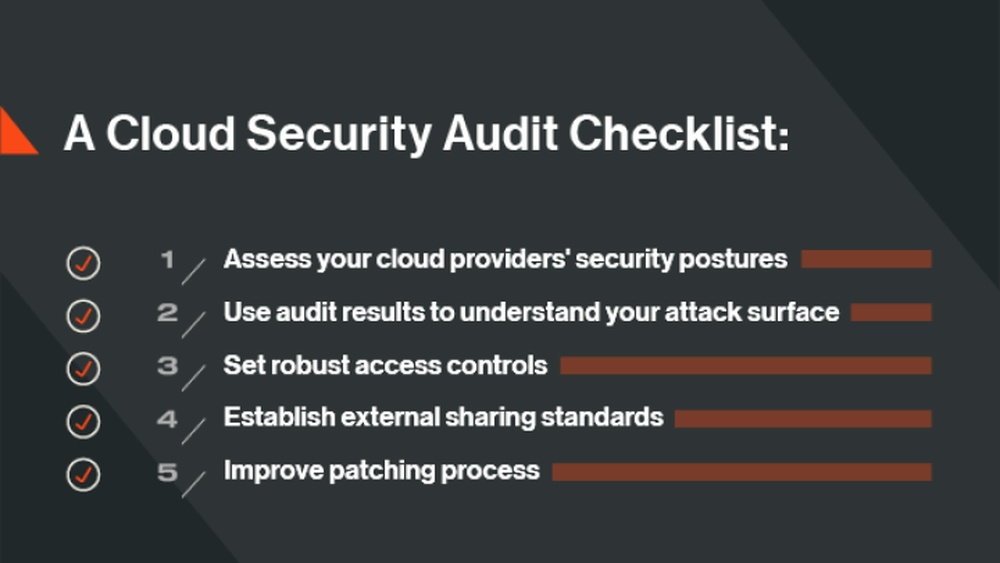
Are you confident that your cloud environment is truly secure? With cyber threats evolving every day, a thorough cloud security audit isn’t just a good idea—it’s essential.
But where do you start? This Cloud Security Audit Checklist breaks down the key steps you need to take to protect your data, control access, and ensure compliance. By following this guide, you’ll gain clear insights into your cloud’s vulnerabilities and learn how to strengthen your defenses.
Keep reading to make sure your cloud is as safe as it should be.
Audit Preparation
Start by defining the audit scope. Decide which cloud systems and data will be checked. Clear scope helps focus the audit on important areas.
Next, identify compliance standards relevant to your industry. Examples include HIPAA, GDPR, or PCI DSS. These rules guide what the audit must cover.
Then, assemble an audit team. Include people with technical skills and knowledge of compliance. Teamwork ensures a thorough and smooth audit process.
Access Management
Review Identity and Access Controls carefully. Confirm all user accounts have the correct permissions. Remove any unused or outdated accounts. Use strong password policies to reduce risks.
Evaluate User Privileges regularly. Check that users only have access to what they need for their work. Limit admin rights to essential personnel only. This helps prevent accidental or malicious data breaches.
Implement Multi-Factor Authentication (MFA) on all accounts. MFA adds an extra layer of protection beyond just passwords. Use apps or hardware tokens for verification. This step greatly improves account security and reduces unauthorized access.
Data Protection
Data encryption methods must be strong and up to date. Check if data is encrypted at rest and in transit. Use trusted encryption standards like AES-256 and TLS. Weak encryption can lead to data theft.
Data backup procedures should be frequent and stored securely. Confirm backups are stored in different locations. Test backups regularly to ensure data can be restored quickly. Backups protect against accidental loss and ransomware attacks.
Data loss prevention (DLP) measures help stop sensitive data leaks. Verify if DLP tools monitor data movement and block unauthorized transfers. Policies should restrict sharing sensitive information outside the cloud environment.

Network Security
Inspect firewall configurations carefully. Ensure rules block unwanted access but allow trusted traffic. Check for outdated or unused rules that can create security gaps. Confirm firewalls are up-to-date with the latest patches and updates. Proper firewall setup helps protect cloud data from unauthorized users.
Analyze network traffic regularly. Look for unusual patterns or spikes that could signal attacks. Use tools to monitor data flow and spot threats early. Keep logs to review past activities and identify potential breaches quickly. Consistent traffic analysis strengthens overall network defense.
Check intrusion detection systems (IDS) to confirm they are working correctly. Test alerts to ensure they notify the right teams. Update IDS signatures to recognize new threats. IDS helps detect and stop attacks before they cause harm.
Configuration Management
Review Cloud Service Settings regularly to ensure they match security policies. Verify access controls, permissions, and data encryption settings. Misconfigured settings often cause security risks.
Ensure Secure Baseline Configurations by setting standard, secure defaults for all cloud services. This helps prevent weak points. Use templates or policies to enforce these settings consistently.
Monitor Configuration Changes continuously to detect unauthorized or risky modifications. Use automated tools for alerts. Keeping track helps identify potential threats quickly and maintain security integrity.
Monitoring And Logging
Evaluate log collection processes to ensure all critical events are captured. Logs must be collected from all cloud systems consistently. Check if logs are stored securely and cannot be altered. Confirm the retention period meets compliance rules. Use automation to avoid missing important logs.
Assess real-time monitoring tools for their ability to detect suspicious activities quickly. Tools should provide alerts for unusual behavior or unauthorized access. Make sure monitoring covers all cloud resources and user actions. Verify the tools support easy integration with other security systems.
Review incident response plans to handle security events effectively. Plans should include clear steps for detecting, reporting, and fixing issues. Test the response process regularly with drills or simulations. Ensure roles and responsibilities are well defined for quick action.
Vulnerability Management
Regular vulnerability scans help find weak spots early. Use automated tools to scan cloud systems often. This ensures no new flaws go unnoticed. Keep records of scan results for review and tracking.
Patch management is vital to fix known issues. Check if all cloud components get updates quickly. Confirm patches are tested before wide deployment. This reduces risks from outdated software.
| Security Control Test | Purpose | Frequency |
|---|---|---|
| Access Controls | Verify only authorized users can access data | Quarterly |
| Firewall Rules | Ensure proper filtering of incoming and outgoing traffic | Monthly |
| Encryption Settings | Confirm data is encrypted at rest and in transit | Biannually |

Compliance Verification
Ensuring compliance with regulatory requirements is essential in a cloud security audit. Start by reviewing all relevant laws and standards that apply to your cloud environment. Check if data handling, storage, and access meet these rules.
Next, document audit findings clearly. Record any gaps or issues found during the audit. Use simple language so everyone can understand the results. This helps teams know exactly what needs fixing.
Finally, prepare compliance reports that summarize your audit work. Include evidence and explanations for each point. These reports show stakeholders that your cloud setup follows the right rules. They also help during external inspections or reviews.
Continuous Improvement
Automated security tools help find risks fast and fix them. They check systems without stopping work. This keeps your cloud safe all the time. Schedule audits often to catch new problems early. Regular checks make sure rules are followed and gaps are closed.
Updating security policies is key. Clear, simple rules guide your team on how to keep data safe. Policies must change as threats change. Teach staff about new rules to keep everyone alert and ready.
Frequently Asked Questions
How To Perform A Cloud Security Audit?
Review cloud configurations, assess access controls, verify data encryption, monitor network security, and ensure compliance with standards. Document findings and address vulnerabilities promptly.
What Are The 4 C’s Of Cloud Security?
The 4 C’s of cloud security are: Cloud Configuration, Cloud Compliance, Cloud Controls, and Cloud Continuous Monitoring. These ensure secure cloud environments.
What Are The 5 Pillars Of Cloud Security?
The 5 pillars of cloud security are identity and access management, data protection, threat prevention, compliance, and security monitoring. These ensure secure cloud environments and protect against cyber threats.
What Are The 4 Pillars Of Cloud Security?
The 4 pillars of cloud security are identity and access management, data protection, threat prevention, and compliance management. These ensure secure cloud environments and protect against breaches.
Conclusion
A thorough cloud security audit keeps your data safe and systems strong. Use this checklist to spot risks and fix weak points early. Regular checks help maintain trust and meet industry rules. Stay alert and update your security as technology changes.
Protecting your cloud means protecting your business and customers.
Read More
- Network Security Risk Assessment: Ultimate Guide to Protect Your Data
- Data Breach Prevention Audit: Essential Steps to Secure Your Business
- Hipaa Security Compliance Audit: Essential Steps for Success
- Security Policy Review Checklist: Essential Steps for Ultimate Protection
- Penetration Testing Cost: Unveiling True Value and Savings
- Enterprise Cyber Audit Cost: Essential Insights to Save Big
- Managed Security Audit Service: Boost Your Cyber Defense Today
- Vulnerability Assessment Services: Essential Steps to Secure Your Business
- Small Business Security Audit: Essential Steps to Protect Your Assets
- Security Gap Analysis Report: Uncover Risks & Boost Protection