
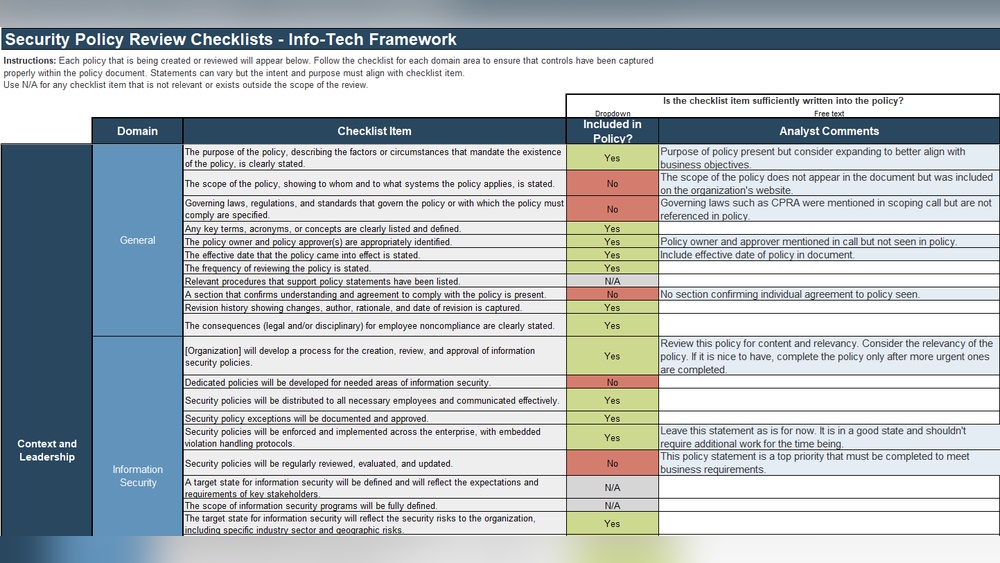
Are you confident your security policies are up to date and truly protecting your organization? A thorough Security Policy Review Checklist is your best tool to find out.
It helps you spot gaps, fix weaknesses, and stay ahead of evolving threats. Without regular reviews, your policies can become outdated, leaving your business vulnerable to risks you didn’t anticipate. You’ll discover exactly what to include in your security policy reviews and how to keep your defenses strong and effective.
Keep reading to ensure your security strategy works as hard as you do.
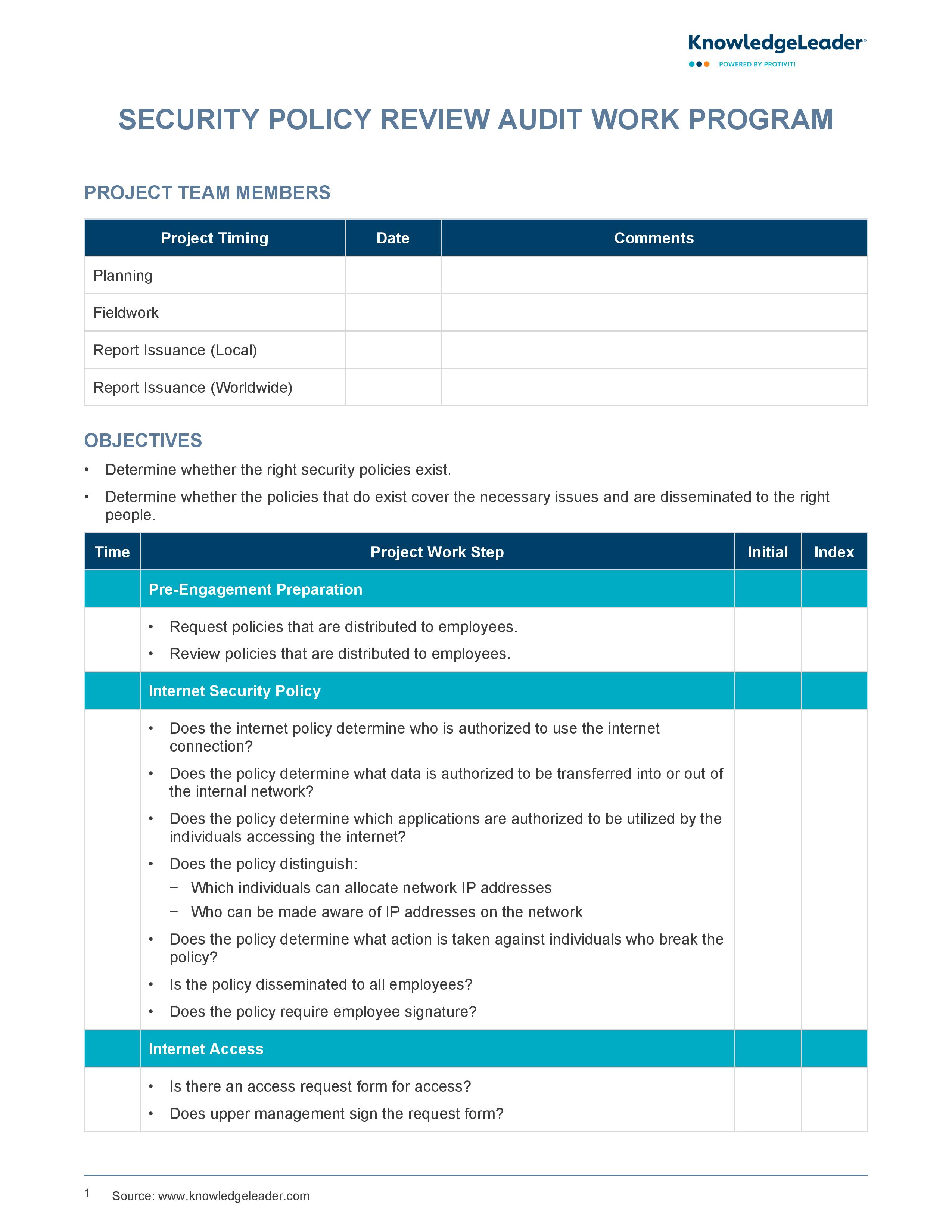
Policy Scope And Objectives
Define Coverage Areas clearly to include all systems and data. Specify which departments and operations the policy affects. This helps avoid confusion and gaps in protection.
Set Clear Security Goals that are simple and measurable. Goals should focus on protecting data, preventing breaches, and ensuring compliance with laws. Clear goals guide staff actions.
Align With Business Needs by linking security efforts to company objectives. Policies must support business growth and daily functions. This balance keeps security practical and effective.
Roles And Responsibilities
Assign policy owners to ensure clear accountability. These owners are responsible for creating, updating, and enforcing policies. Clarify employee duties so everyone knows their role in security. This reduces confusion and improves compliance.
Outline management oversight to monitor policy adherence regularly. Managers review policy effectiveness and address gaps promptly. Clear roles help keep the security program strong and organized.
Access Control Measures
User authentication standards must enforce strong passwords and multi-factor authentication. This helps stop unauthorized access. Use unique IDs for each user to track activity clearly.
Permission management means giving users only the access they need. Limit rights to the minimum required to do their tasks. Avoid sharing accounts to keep control tight.
Regularly review access rights to find and remove outdated permissions. Check who has access and adjust as roles change. This prevents old accounts from creating security risks.
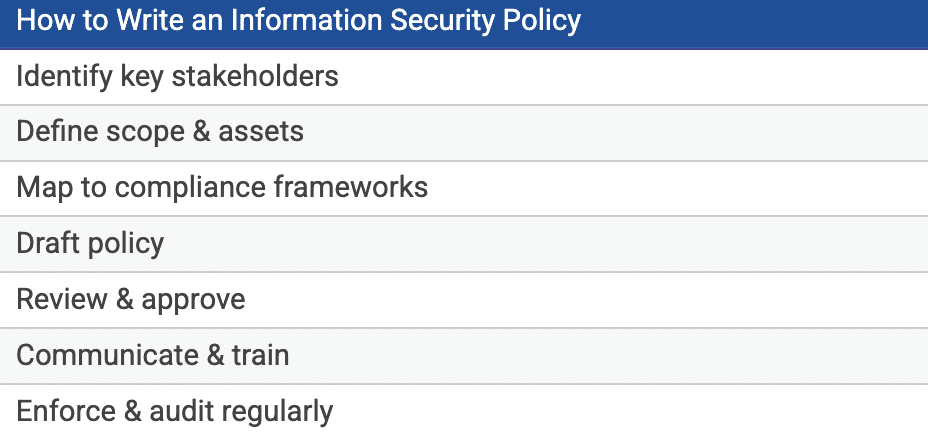
Data Protection Practices
Data classification helps identify the sensitivity of information. It divides data into categories like public, internal, or confidential. This step guides how data should be handled and protected.
Encryption protects data by turning it into a secret code. Both data at rest and data in transit must be encrypted. Using strong encryption methods keeps information safe from unauthorized access.
Data retention policies define how long data must be kept and when it should be deleted. Keeping data only as long as needed reduces risks. Policies must comply with legal and business requirements.
Incident Response Procedures
Detecting incidents quickly helps stop damage early. Employees should know how to report issues immediately. Use clear channels for reporting, like phone or email. The faster the report, the better the response.
Every incident needs a response team. Assign clear roles and responsibilities to each member. Teams usually include IT staff, management, and communication officers. Coordination and quick action reduce risks.
After handling an incident, review what happened. Identify weaknesses in the system and improve policies. This review helps prevent future problems and builds stronger security.
Compliance And Legal Requirements
Identify Applicable Regulations by checking local, state, and federal laws. Know industry rules like HIPAA or GDPR. This keeps your policy legal and up to date.
Ensure Policy Alignment with these regulations. Match your rules with legal needs and business goals. This avoids conflicts and confusion.
Audit and Reporting Processes track policy use and compliance. Regular audits find gaps or problems early. Reports help managers see risks and fix them fast.
Policy Enforcement And Training
Enforcement mechanisms ensure security policies are followed strictly. They include clear rules, monitoring systems, and consequences for breaches. This helps keep the workplace safe and secure.
Employee awareness programs teach staff about risks and their role in protection. These programs use posters, emails, and meetings to spread important messages. Awareness helps prevent careless mistakes and reduces threats.
Regular training sessions keep knowledge fresh and skills sharp. Training covers new threats, policy updates, and best practices. Frequent sessions build confidence and prepare employees to handle security challenges.
Review And Update Frequency
Set clear review intervals for your security policy. Common choices include every 6 or 12 months. This keeps policies current and relevant. Include a process to incorporate feedback from employees and stakeholders. Feedback helps identify gaps and improve effectiveness.
Adapt policies to emerging threats like new cyber risks or compliance changes. Regular updates ensure your security measures stay strong. Document each review and update for accountability. This creates a clear history of policy changes over time.
Physical Security Controls
Facility access restrictions limit entry to authorized people only. Use key cards, PIN codes, or biometric scanners to control doors. Keep a visitor log and escort guests at all times. This helps prevent unauthorized access and protects sensitive areas.
Surveillance and monitoring include cameras and alarm systems. Cameras should cover all entrances, exits, and critical spots. Regularly check recordings and maintain equipment. Alarms must alert staff to suspicious activity quickly. Monitoring helps catch problems early and keeps the facility safe.
Equipment protection means securing computers, servers, and other devices. Use locks, cages, or secure rooms to prevent theft or tampering. Back up data regularly and store backups in a safe place. Protect equipment from damage caused by fire, water, or power loss.
Cloud Security Considerations
Evaluate cloud providers by checking their security certifications and data protection measures. Verify if they follow industry standards like ISO 27001 or SOC 2. Assess their backup and disaster recovery plans. Confirm the provider’s policies on data ownership and access control.
Define cloud usage policies clearly to control who can access cloud resources. Specify allowed activities and data handling rules. Include guidelines for password strength and multi-factor authentication. Make sure users understand consequences of policy violations.
Monitor cloud compliance regularly to ensure rules are followed. Use automated tools to track access logs and detect suspicious activities. Schedule periodic audits to review compliance status. Keep records of incidents and resolutions for future reference.
Frequently Asked Questions
What Are The 5 C’s In Security?
The 5 C’s in security are: Context, Content, Connectivity, Control, and Compliance. They guide effective security management.
What Should Be Included In A Security Policy?
A security policy should include clear rules, roles, access controls, data protection measures, incident response plans, and regular updates.
What Are The 9 Points Checklists For Endpoints Controls?
The 9-point endpoint control checklist includes: device inventory, patch management, antivirus, firewall, encryption, access control, user training, monitoring, and incident response.
How Often Should Security Policies Be Reviewed?
Security policies should be reviewed at least annually. Update them more frequently if new threats or business changes arise. Regular reviews ensure policies stay effective.
Conclusion
Regularly reviewing your security policy keeps your organization safe. Use this checklist to spot gaps and update rules. Clear policies protect data and guide your team well. Stay aware of new risks and adjust your defenses. Consistent reviews help maintain strong security every day.
Keep your policy simple, practical, and easy to follow. Security is a process, not a one-time task. Make reviews part of your routine to reduce threats.
Read More
- Network Security Risk Assessment: Ultimate Guide to Protect Your Data
- Data Breach Prevention Audit: Essential Steps to Secure Your Business
- Hipaa Security Compliance Audit: Essential Steps for Success
- Penetration Testing Cost: Unveiling True Value and Savings
- Enterprise Cyber Audit Cost: Essential Insights to Save Big
- Managed Security Audit Service: Boost Your Cyber Defense Today
- Vulnerability Assessment Services: Essential Steps to Secure Your Business
- Small Business Security Audit: Essential Steps to Protect Your Assets
- Cloud Security Audit Checklist: Essential Steps for Ultimate Protection
- Security Gap Analysis Report: Uncover Risks & Boost Protection